What constitutes a search?

We’ve already talked about the concept of search, as opposed to that of request, but let’s get down to the technical details that define a search. Searches are queries entered by your customers, pieces of information a shopper searches for by typing words in a search bar.
Motive Commerce Search counts shoppers' interactions with a shop’s search by the concept of “search”, and that is also taken into account in the definition of plans and how shop owners are billed. Let’s dive in to understand the technicalities behind what we mean by “search”.
When different queries becomes a search
In Motive Commerce Search, searches represent the entire searching journey of a shopper, this means all the interaction they have with the shop’s search until they’ve found what they were looking for.
Every time a shopper uses the search box, a 300-milliseconds timer is started. When the time between characters is shorter than 300 milliseconds, the counter is rebooted. This allows for better performance as fewer unnecessary queries reach the server, resulting in a more dynamic searching experience.
Let's imagine that a shopper is a big fan of Arthur Conan Doyle. While trying to get to his favourite books. Until the moment that shopper enters the intended term, the following steps happen:

- The shopper enters shler by mistake and corrects it quickly.
- The shopper enters sherlok holmes by mistake and takes some time to notice.
- The shopper enters sherlock holmes, the intended search term.
Considering the 300-milliseconds timer, the following happens:
- The quick correction is not considered a search, so she won't appear in your analytics.
- The other two searches (sherlok holmes, sherlock holmes) are recorded as valid searches, as defined by Motive's Instant Search algorithm.
This way, we can see how different queries (or interactions with the search experience) are counted as one search in Motive. This is not the usual case in eCommerce search products, where the providers count (and bill) shop owners based on the queries.
A search’s journey
When different inputs (or queries) are entered, they go through a quick path until they return results to the shopper. Every search interaction is represented by a Query Session ID, which is reset every time a shopper clears the words entered in the search box.
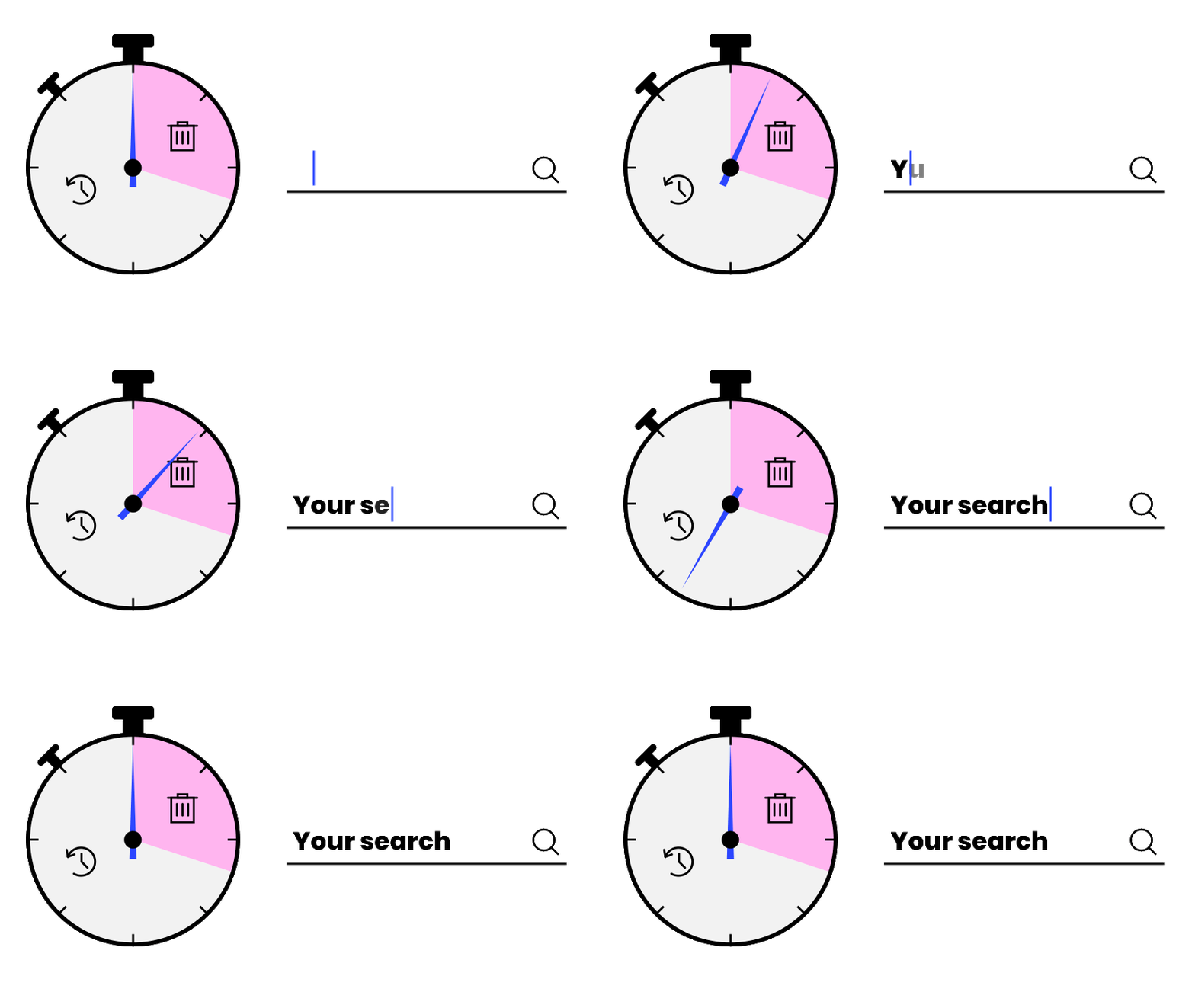
The ID does not reset when the shopper uses pagination, filters or sorting. This means that every time shoppers correct a typo, filter or sort the results, it’s still considered the same search. We use the information sent by this ID to create our analytics that help you understand how shoppers interact with the search box.
Understanding how many searches a shop gets is more useful than the queries, as searches represent the entire user experience more clearly, allowing shop owners to see how their shoppers approach searching in their stores.
## Getting more successful searches
Motive Commerce Search greatly improves search just after you activate it, but there are some extra steps shop owners can take to make their shoppers searches even more successful. Applying some configurations with the learnings they’ve got from their analytics can suddenly improve searching experiences.
We’ve already talked about these extra features that make search better, from the synonyms that link words, to business rules that can boost (or bury) certain products and banners that allow them to decor their campaigns.
If you’re interested in how the search relevance works in Motive Commerce Search and why it shows the results it does, don’t miss this Knowledge Hub article that jumps just into it.